
Seven views / one song
Inside the instrument.
Follow an idea through the workspace. Choose a tab to take a closer look.
Workspace / 01
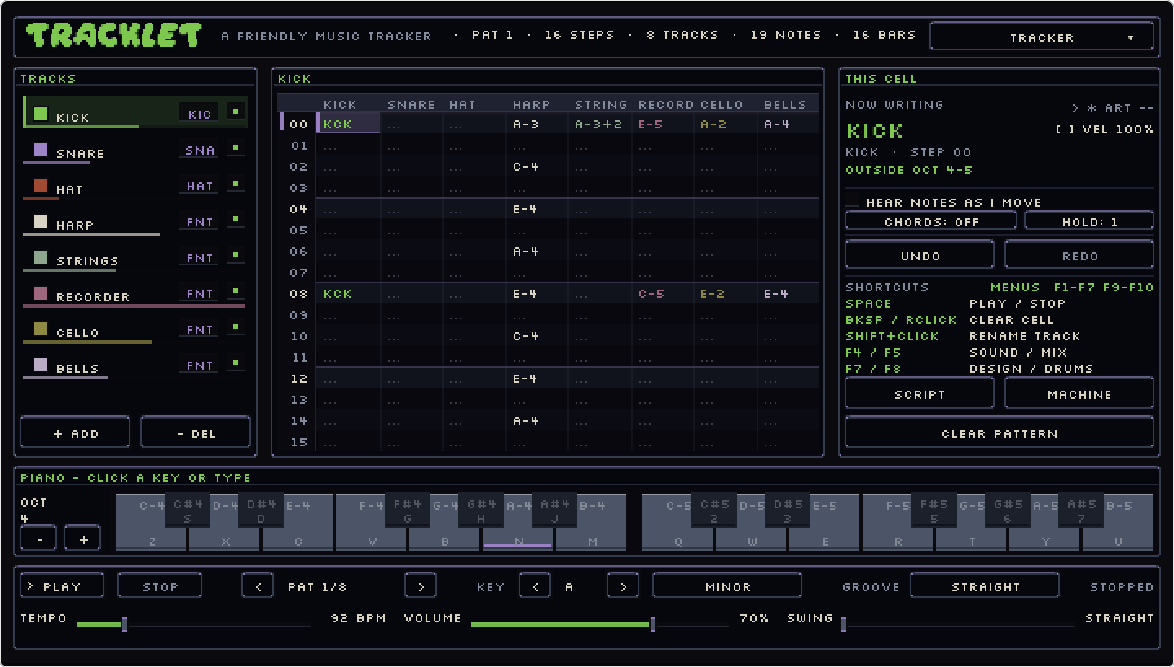
Write the notes. See the music.
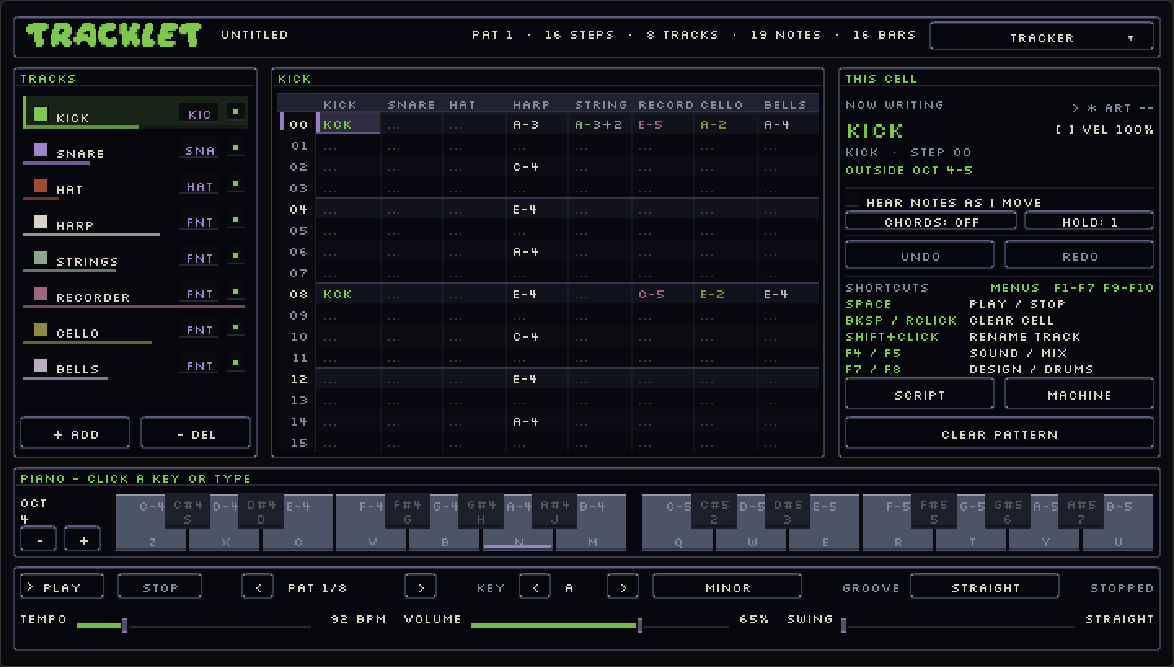
The pattern grid is the heart of Tracklet. Enter notes with the computer keyboard or the on-screen piano, choose a track, and adjust the selected cell without losing your place.
- Named voices and editable sound controls
- Track colors, mute controls and pattern editing
- A piano that shows the notes as they play
 ↗ Inspect screenshot
Workspace / 02
Give the pattern a pulse.
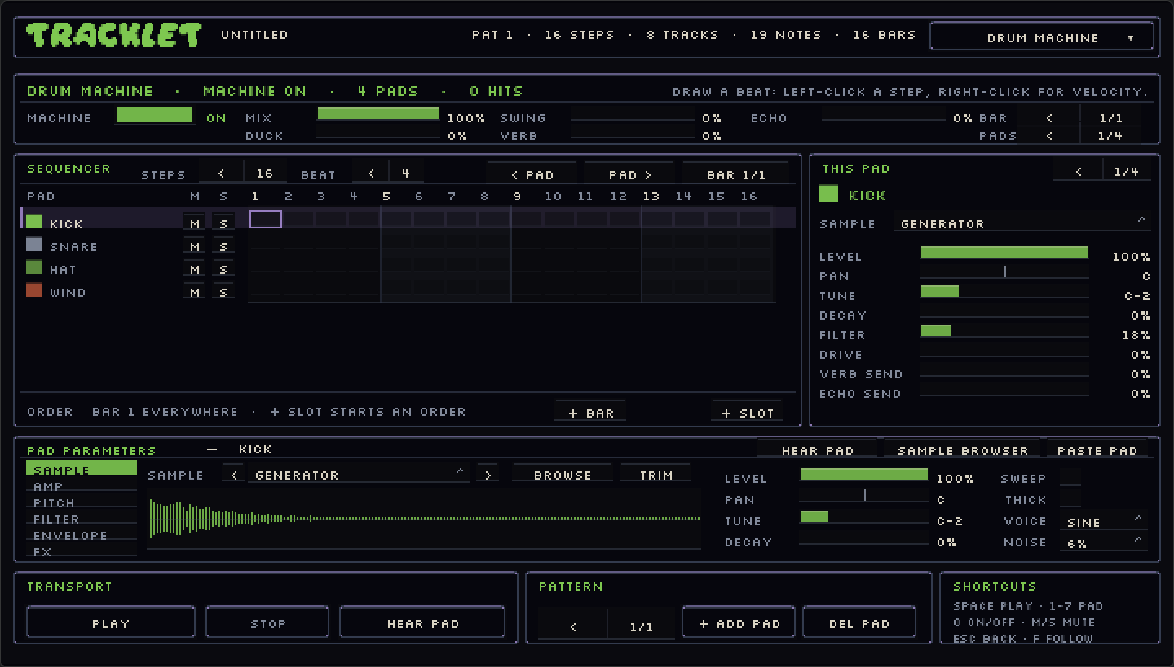
Build rhythms on a dedicated pad-and-step workspace. Separate drum parts stay easy to read, and multiple bars let a beat change instead of repeating forever.
- Individual pads with their own sound and level
- Step rows for placing and removing hits
- Bar variations and a drum-machine playback order
 ↗ Inspect screenshot
Workspace / 03
Make room for every sound.
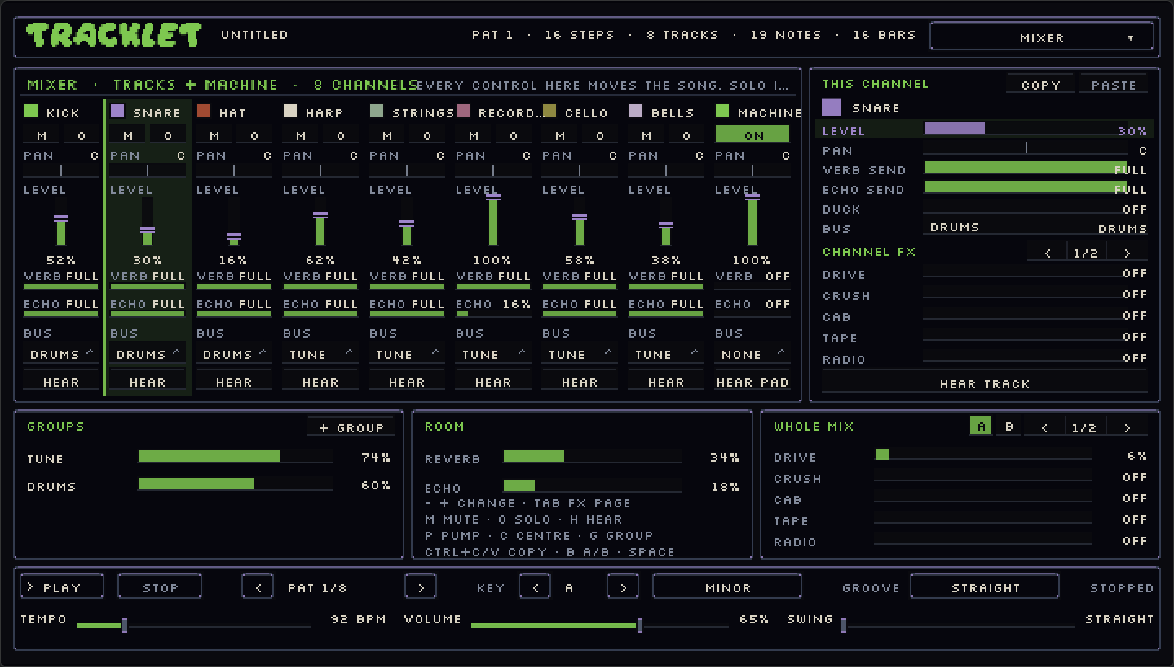
Balance the song with channel strips instead of rewriting the notes. Set levels and pan, listen to parts in isolation, and use sends and effects to place everything in the same space.
- Level, pan, mute and solo controls
- Reverb and echo sends, channel effects and groups
- A/B mix comparison for listening to changes
 ↗ Inspect screenshot
Workspace / 04
Turn a loop into a journey.
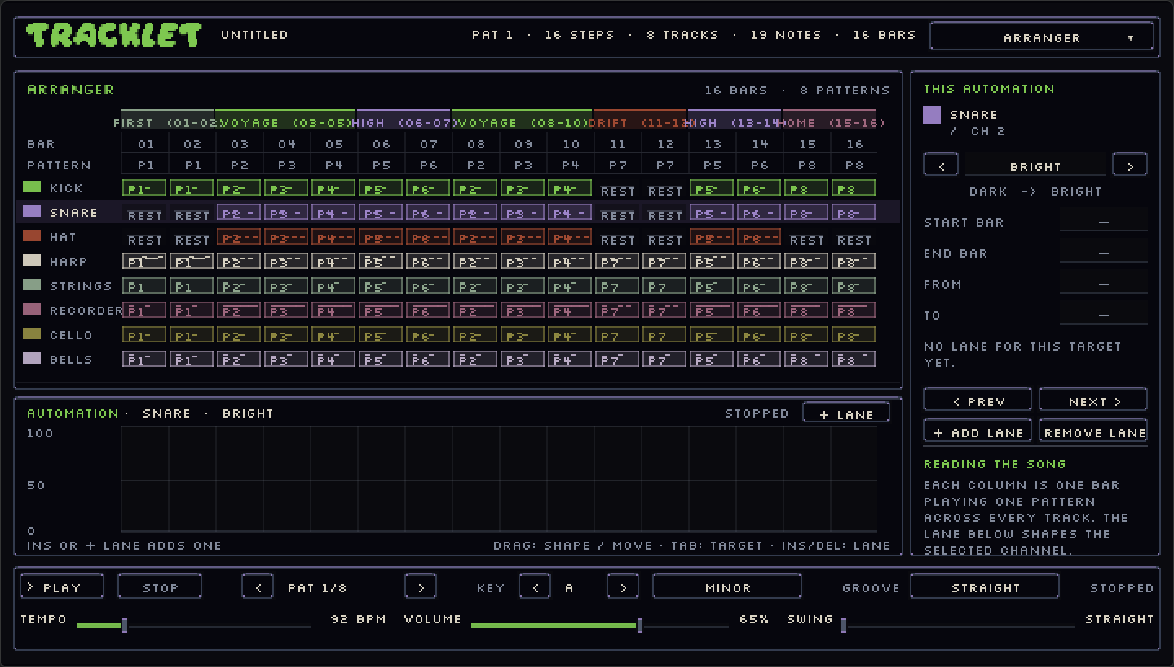
Give the patterns a larger shape. The arrangement workspace makes the song’s structure visible, while automation describes how a sound changes over its bars.
- Organize patterns across the song timeline
- Build sections and variations
- Automation lanes for movement over time
 ↗ Inspect screenshot
Workspace / 05
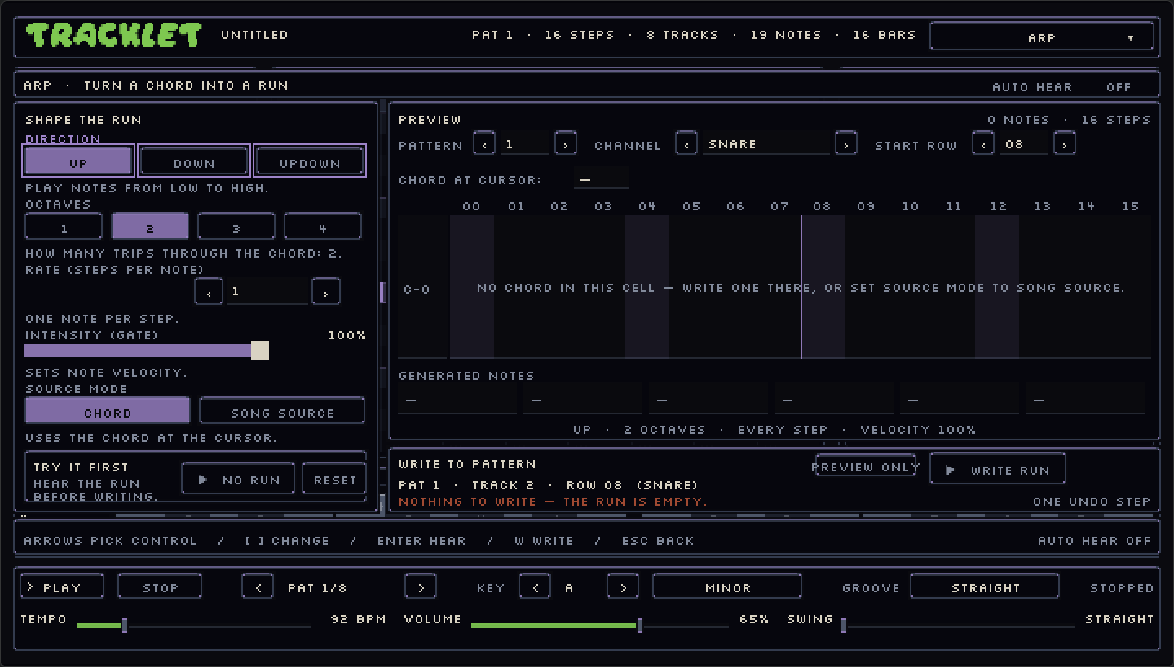
Turn a chord into a moving melody.
Choose a chord or use the song’s chord progression, then shape its arpeggio with direction, octave range, steps per note and intensity. Hear the run and watch the preview before writing it into the pattern as ordinary, editable notes.
- Chord and song-source modes
- Direction, octaves, rate and intensity controls
- Preview, audition and write a run in one undo step
 ↗ Inspect screenshot
Workspace / 06
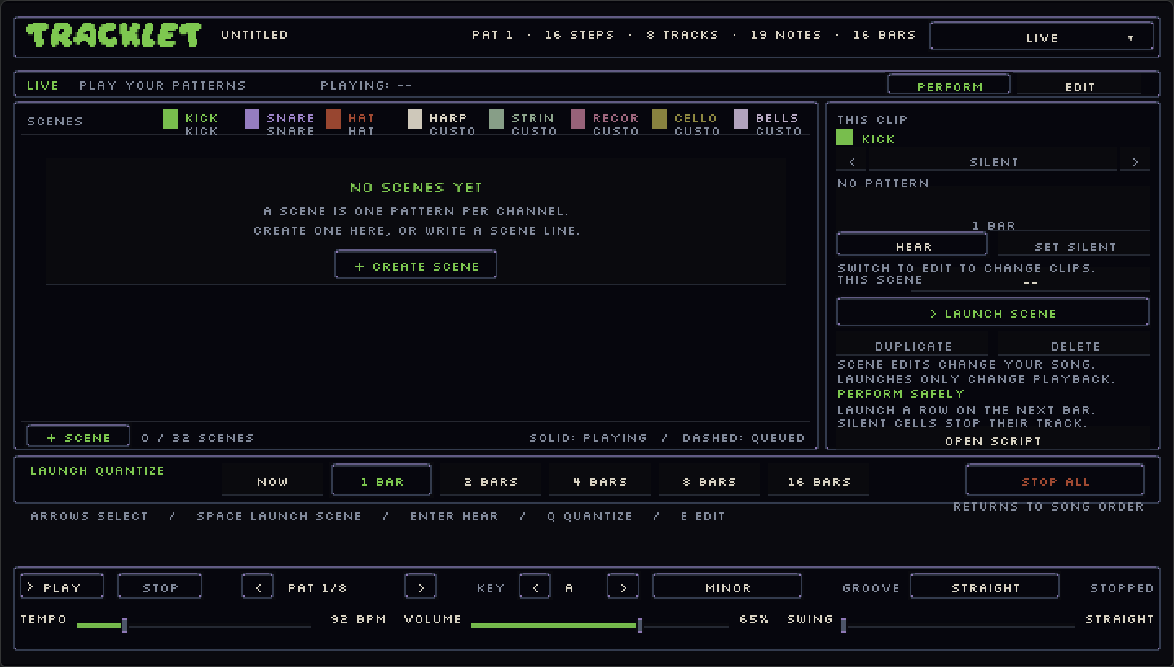
Another way to play the patterns.
The Live workspace shown here lays patterns out as scenes. Each row brings a combination of parts together; colored clip cells make it easy to see which tracks join the next moment.
- Scene rows and per-track pattern clips
- Perform and edit views shown in the supplied preview
- Launch timing controls for transitions between scenes
 ↗ Inspect screenshot
Workspace / 07
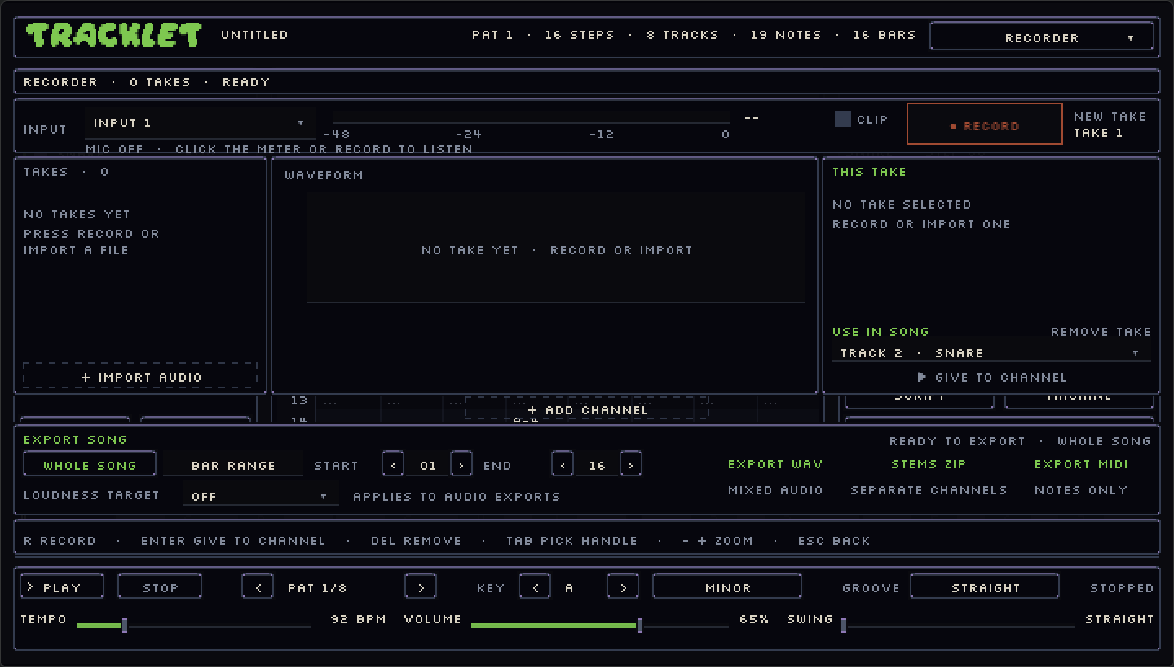
Capture a sound. Send the song out.
Record a take from a microphone or import audio, then inspect its waveform, adjust trim and loop points, and audition it before assigning it to a track. The output controls bring song rendering into the same workspace, with region and loudness settings for the bounce.
- Input selection, recording and audio import
- Waveform, trim and loop handles, and take audition
- WAV, stems and MIDI export with region and loudness controls
 ↗ Inspect screenshot
Stone, ooze & ward
Pick a place to make music.
Tracklet’s themes change the whole palette: panels, lettering, borders and highlights. From the cold water of The Deep to the ember tones of Forge, these nine captured looks give the same workspace a different atmosphere. The app’s appearance menu also offers text-size controls.
Stone, ooze and ward: the framework as it shipped.